The Chinese Consulate General in Erbil has officially launched the China Online Visa Application (COVA) system to facilitate visa applications for foreign nationals traveling to China. Applicants may use the system to complete the visa application form online, upload materials, and track the status of application in real time. To help applicants complete the visa applications accurately and conveniently, the procedures for using the COVA system and the relevant precautions are outlined below.
I. Signing up and Logging into Your Account
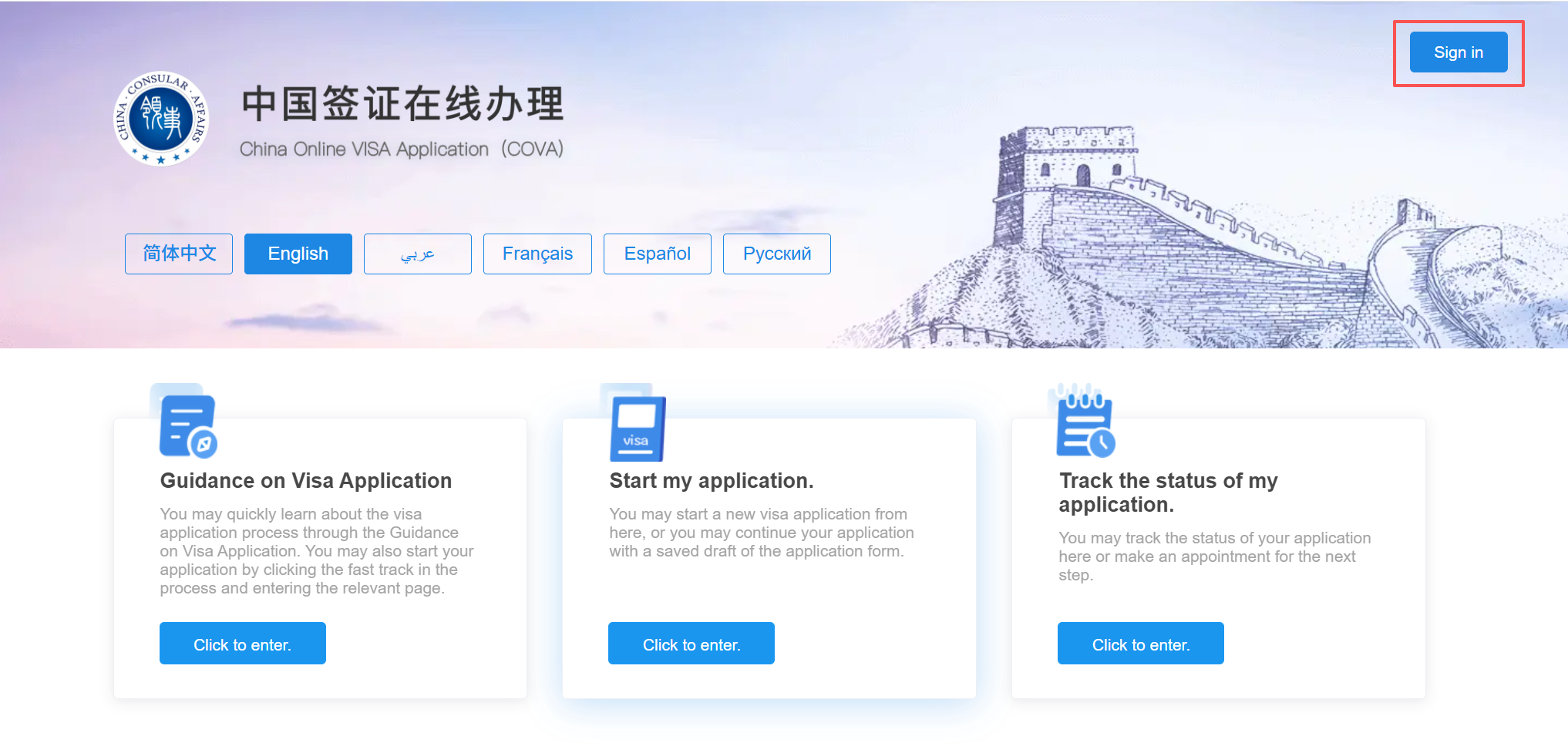
Access the COVA system at http://consular.mfa.gov.cn/VISA/, and click [Sign In] in the upper-right corner of the page.
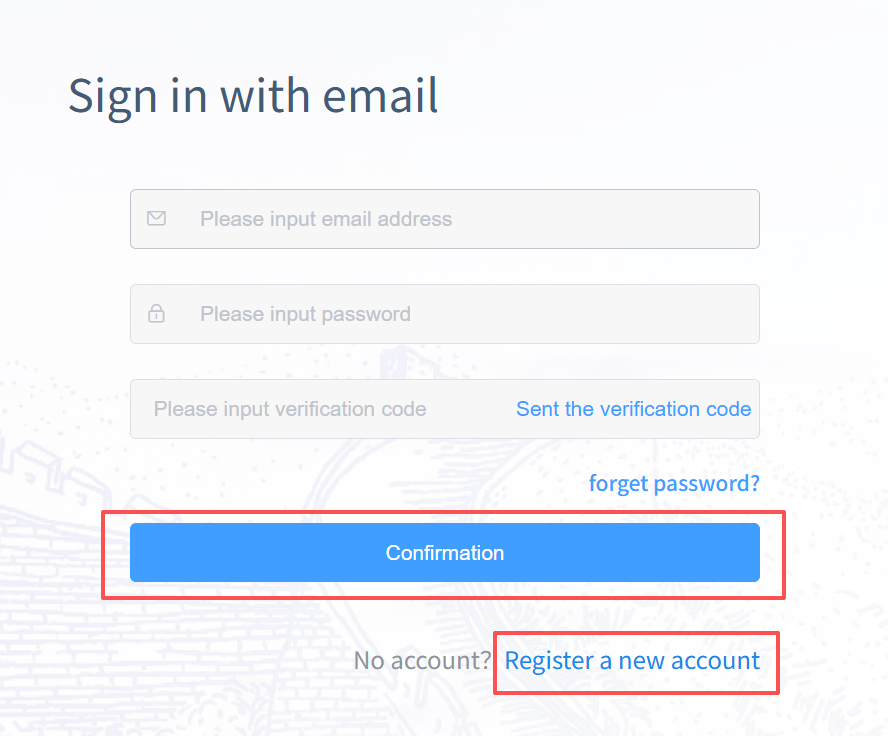
On the login page, input your email address, password, and email verification code, and click [Confirm]. If you do not have an account, click [Register a new account] in the lower-right corner to create a new account using your email address.
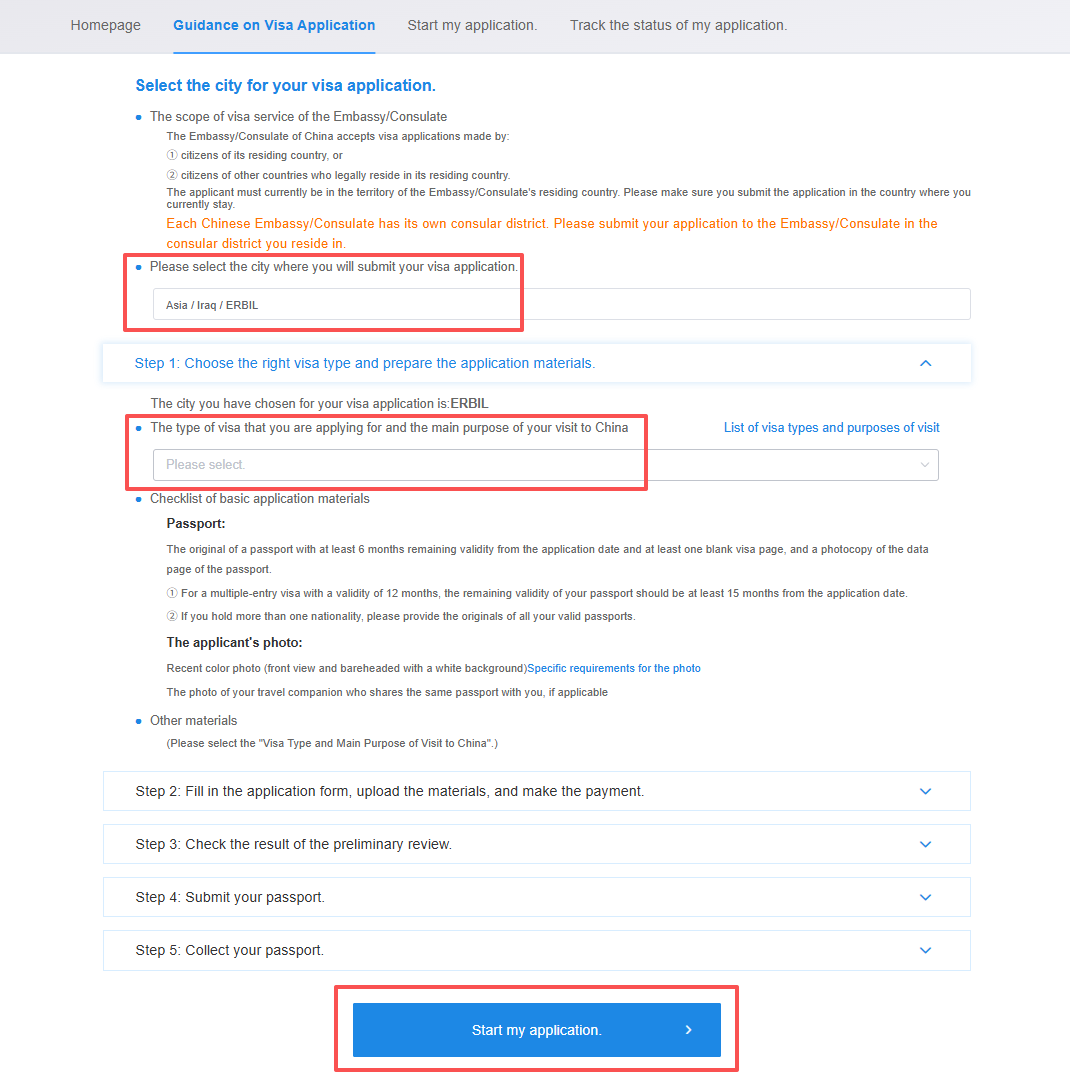
After logging in to your account, click [Guidance on Visa Application] and select the city where you will submit your visa application (“Asia” → “Iraq” → “Erbil” in sequence). Then select the type of visa that you are applying for and the main purpose of your visit to China. You will be able to view the application requirements and required documents.Click [Start my application] at the bottom of the page to proceed to the online application form.
II. Filling in the Form and Uploading Materials
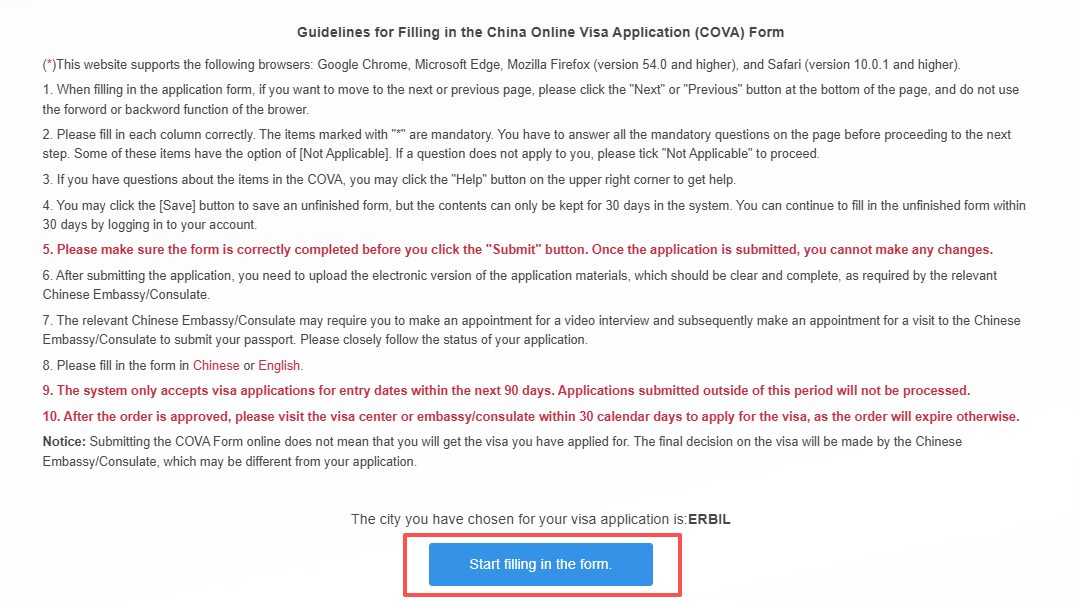
Please carefully read the “Guidelines for Filling in the China Online Visa Application (COVA) Form” and click [Start filling in the form].
The online application form consists of nine sections: personal information,type of visa, work information, education, family information, information on your travel, information on previous travel, other information, and declaration. Please fill in the form in Chinese or English and in the order presented. After completing all required fields (marked with * ) in each section, click [Next] to continue. During the application process, you may click [Save] at any time to save the information you have entered.
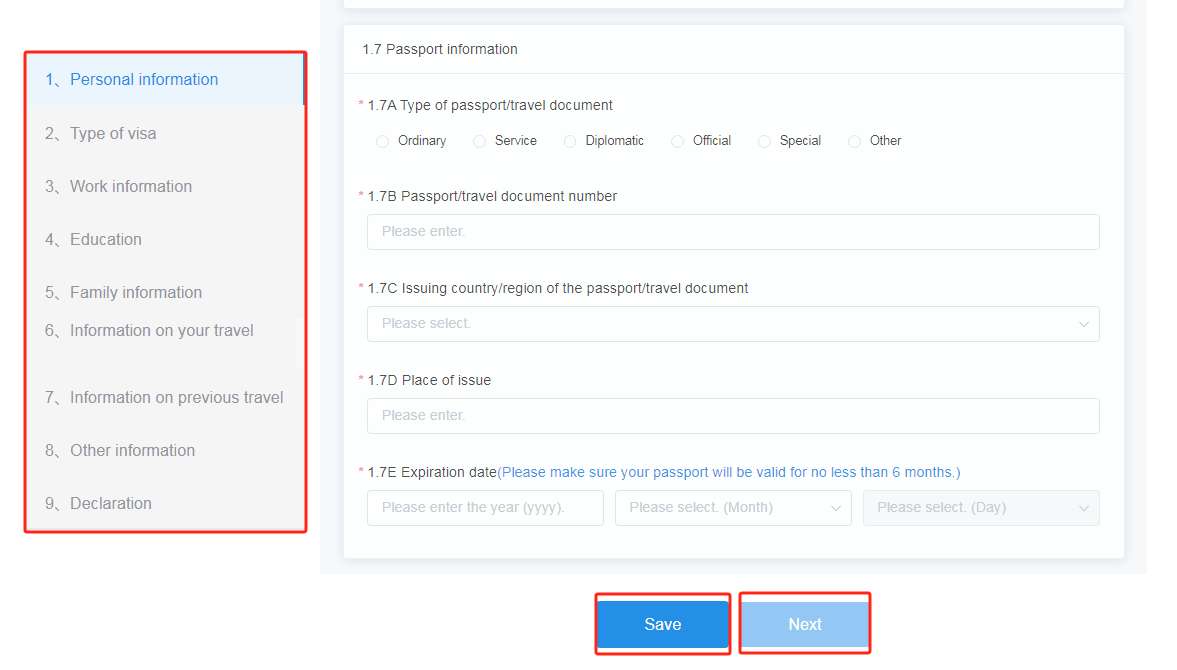
1. Personal information
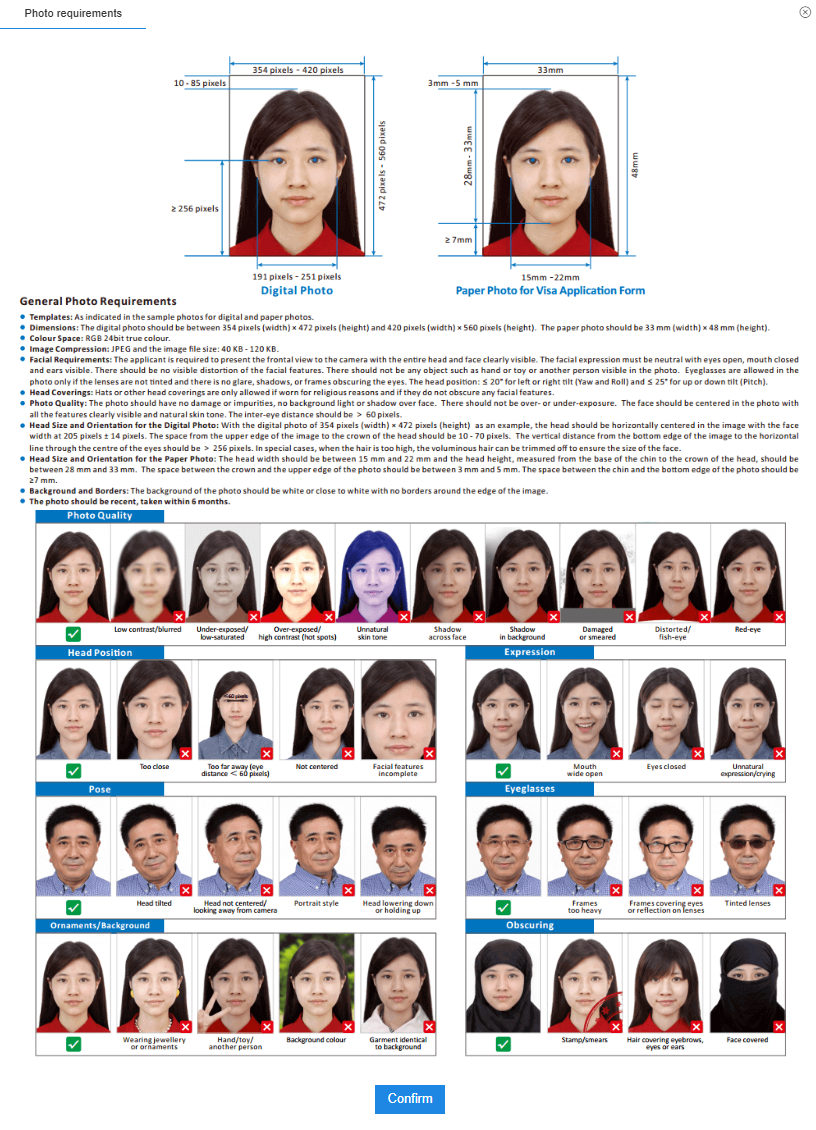
Before uploading your personal photo, click [View the Photo Requirements] to make sure that the photo meets all the specified requirements.
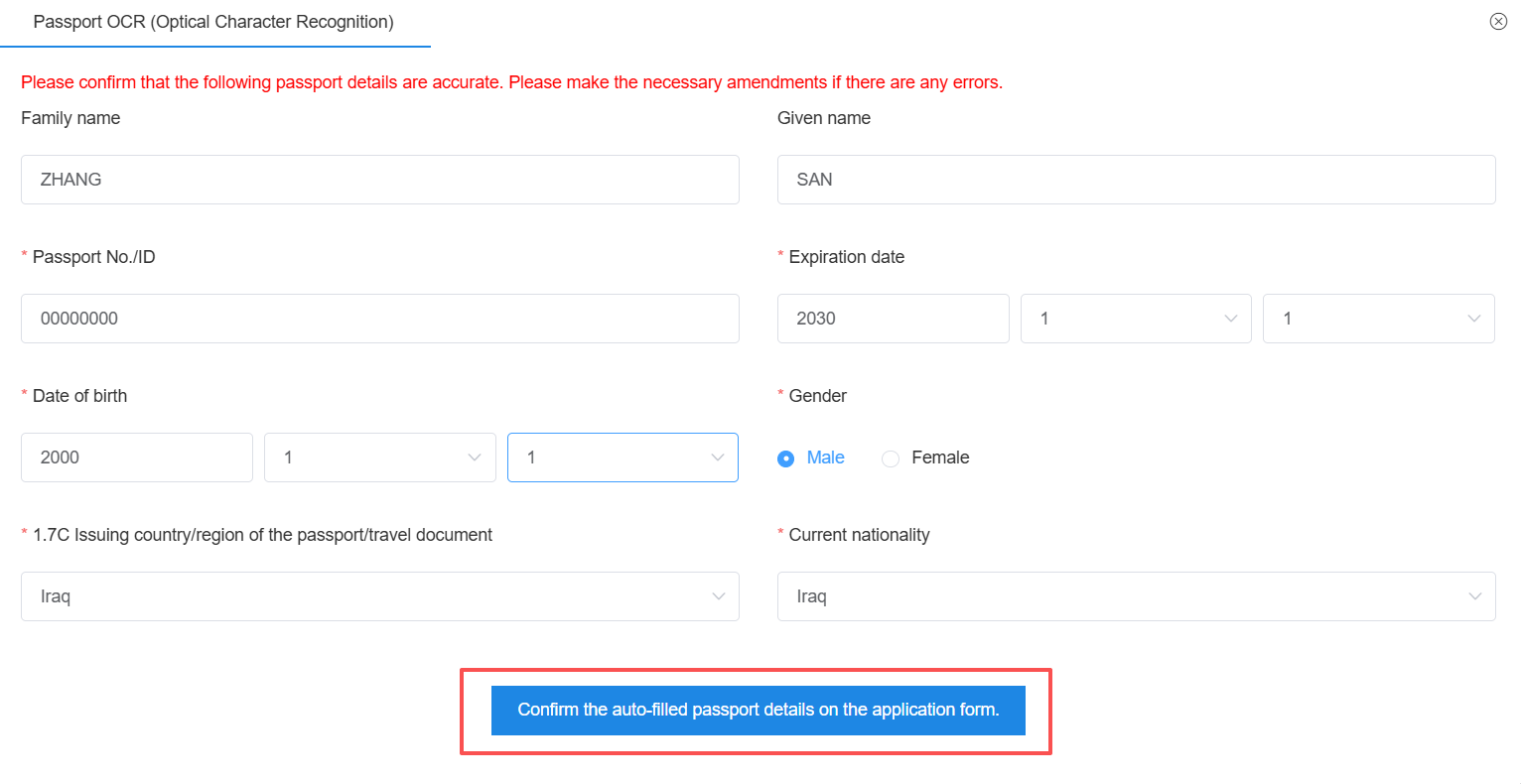
The applicant’s name, nationality, and passport information can be automatically recognized from the passport bio-data page. Please verify that the information is accurate and correct, then click [Confirm theauto-filled passport details on the application form]. The system will automatically fill in the relevant fields.
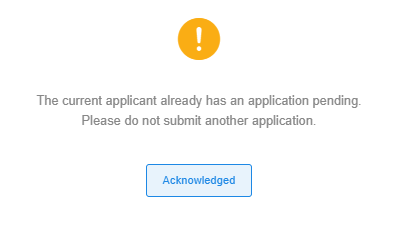
If the system prompts that the current applicant already has an application pending,this means that the passport has already been used to submit a visa application. You may go to [Personal Center] to view your existing application form, or contact your agent or representative for information about the status of the application.
2. Type of visa
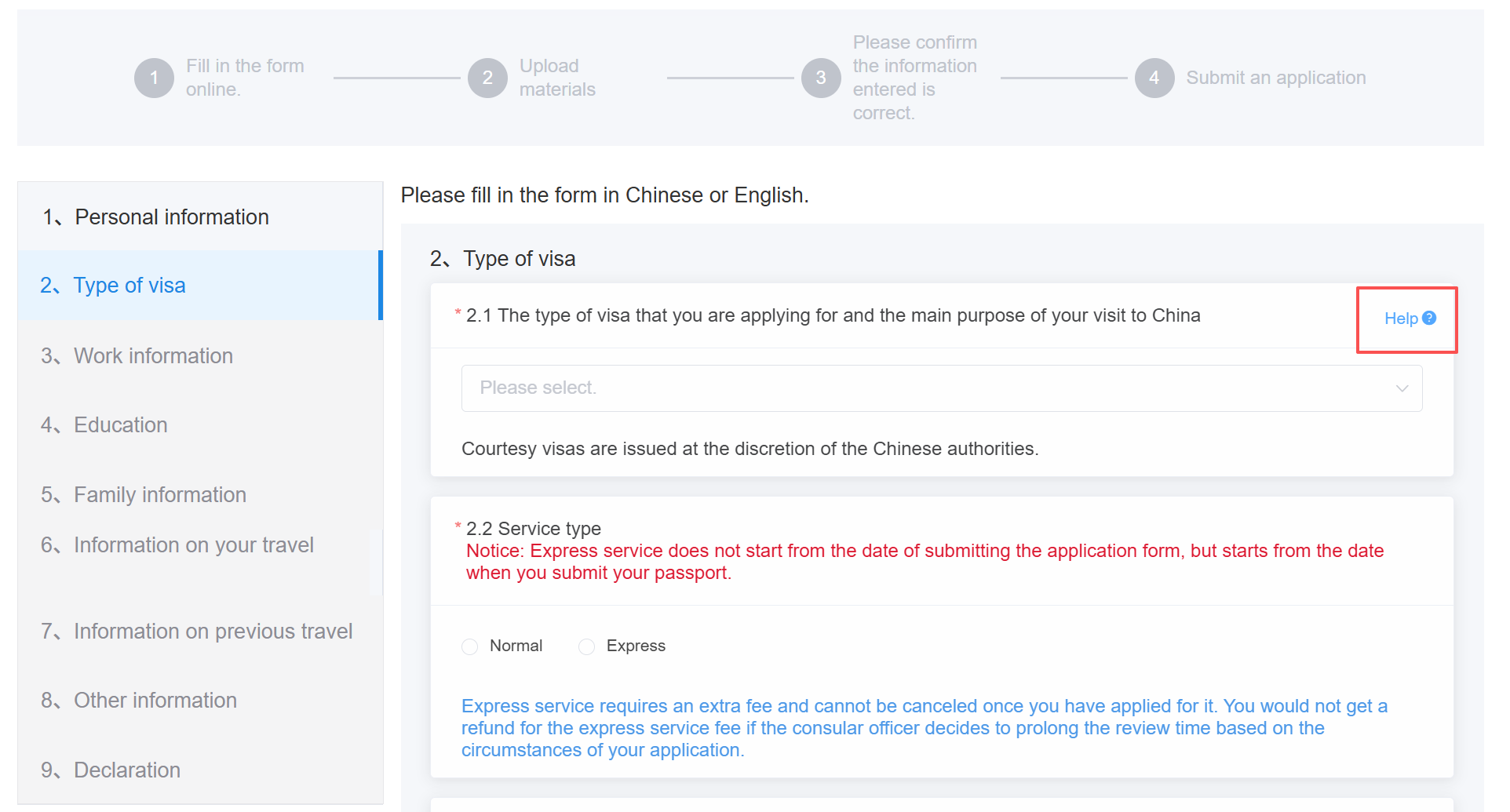
Please select your visa type based on the purpose of your visit to China. You may click [Help] in the upper-right corner to view the available visa types and purposes of visit to China. Please select “Normal” or “Express” service type as needed (processing time is calculated from the date of passport submission at the ConsulateGeneral.Normal applications are processed within 4 working days, while express applications are processed within 3 working days. Express service requires an extra fee), as well as the visa validity, maximum duration of stay, and entries of your application.
Please note that whether to issue a visa, the type of visa, number of entries, validity and duration of each stay will be determined by consular officials. It may differ from those you filled in on the application form.
3. Work information
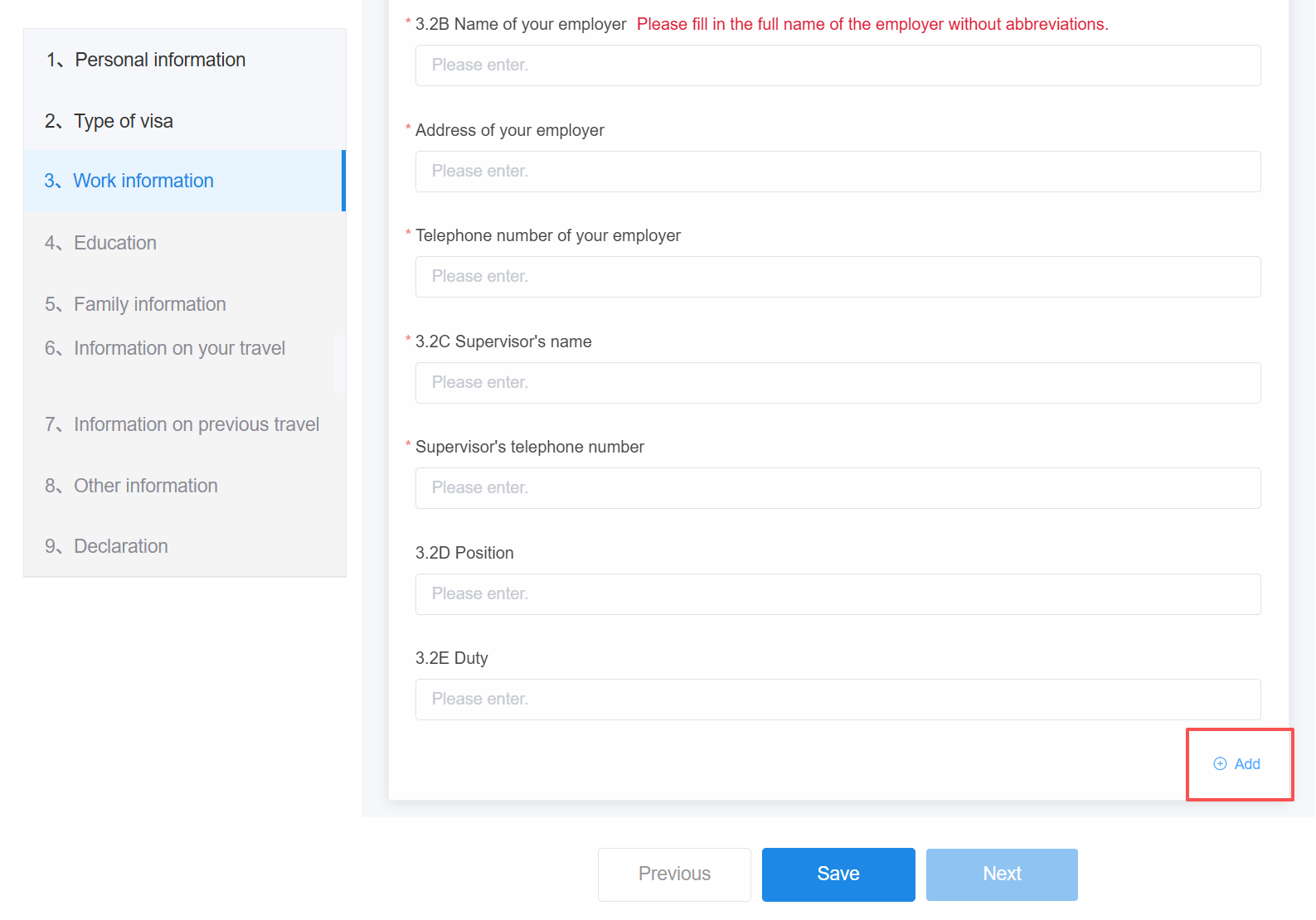
Please truthfully provide your work experience for the past five years and provide the full name of the employer without abbreviations. If you have multiple work experiences during the past five years, click [Add] at the bottom right to add additional entries.
4. Education
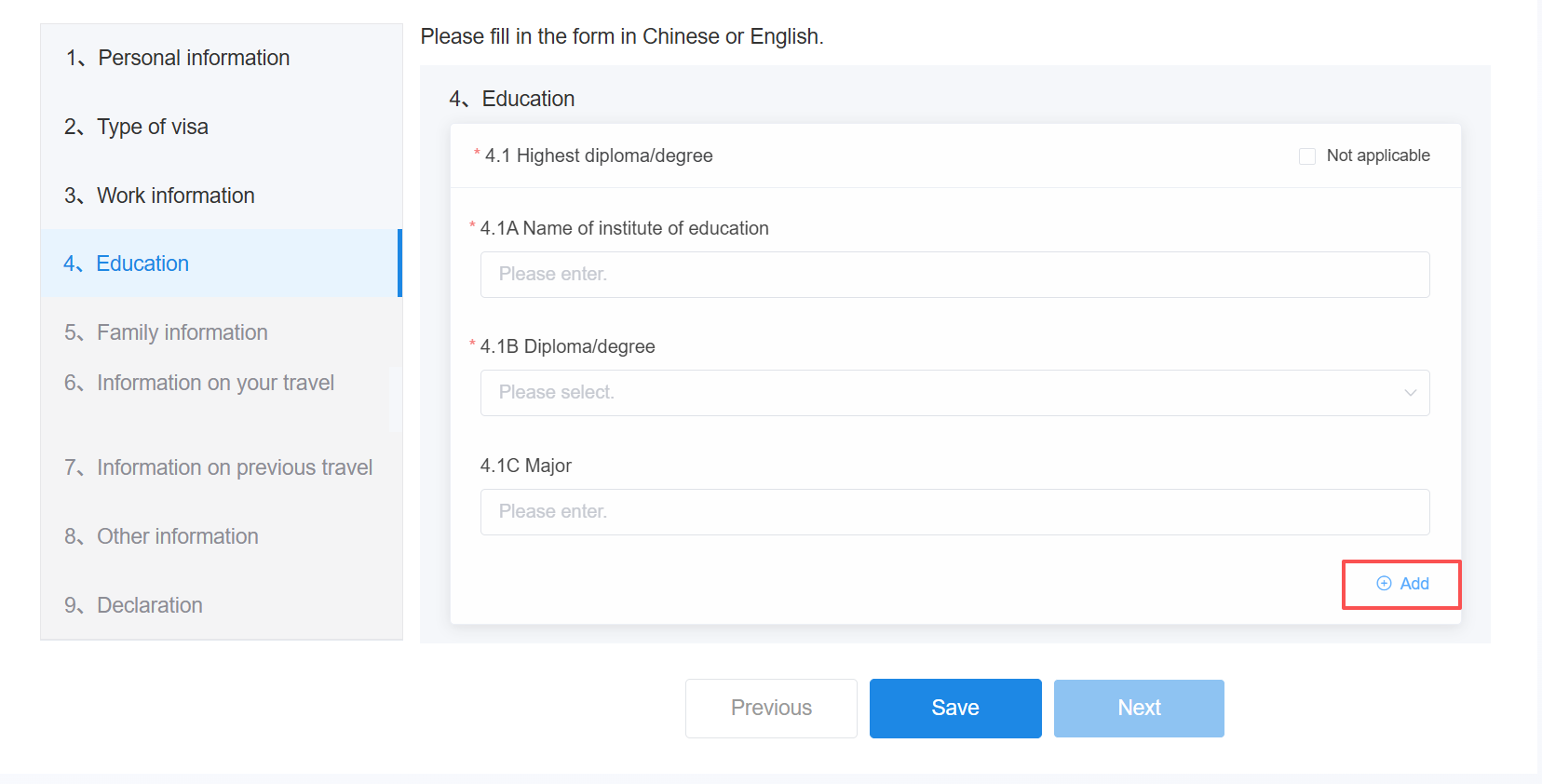
Please truthfully provide your highest diploma or degree. If you have multiple educational records, click [Add] in the lower-right corner to add additional education history.
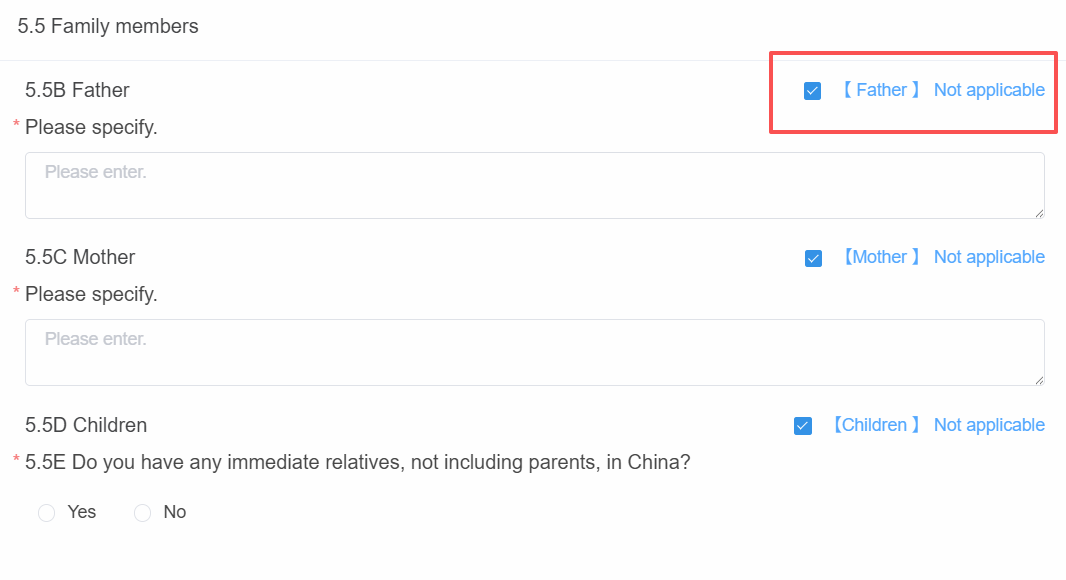
5. Family information
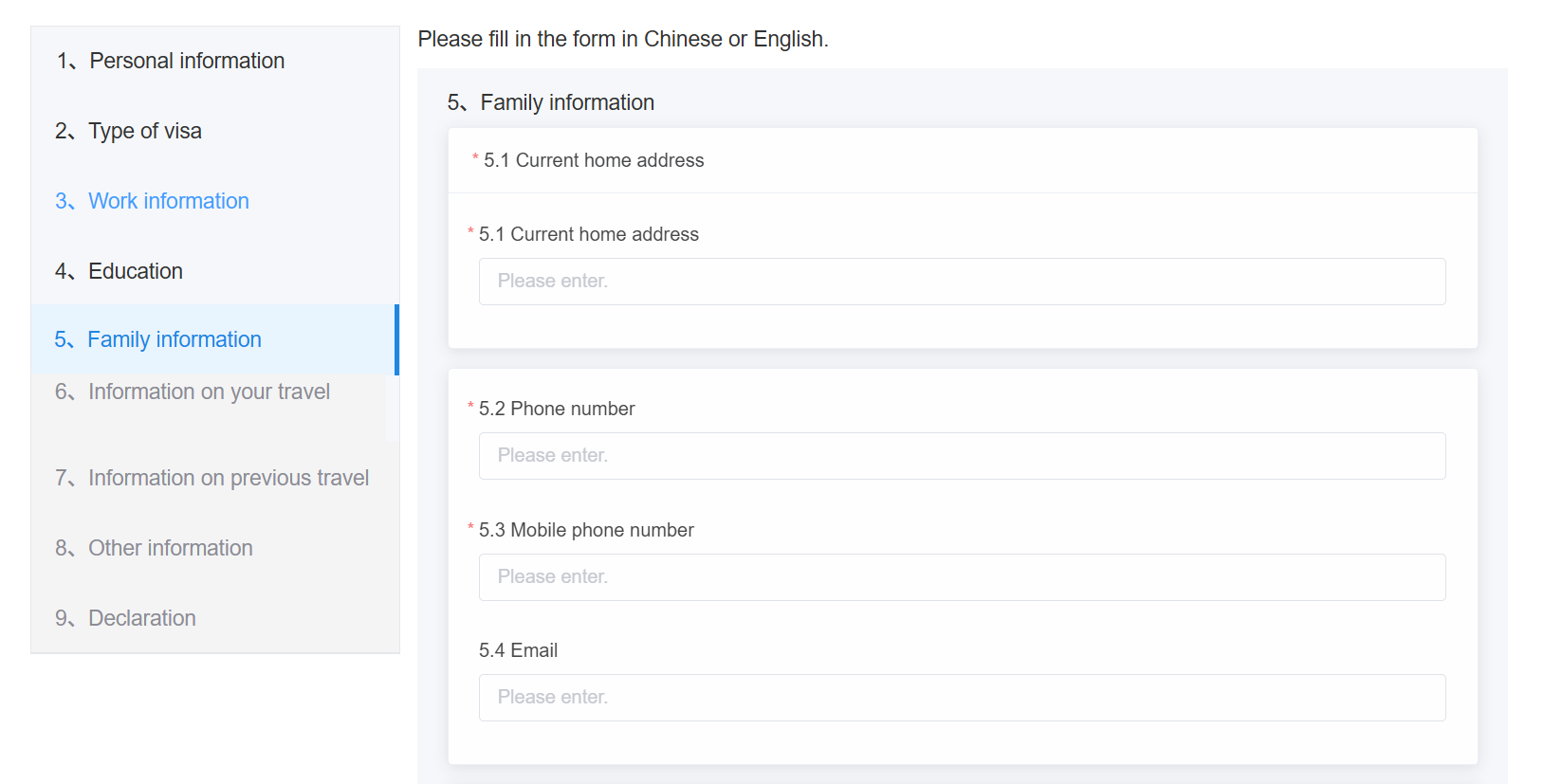
Please provide truthful and valid contact information so that you can be contacted when necessary. If you select [Not Applicable] for the family member information, you must provide a detailed explanation.
6. Information on your travel
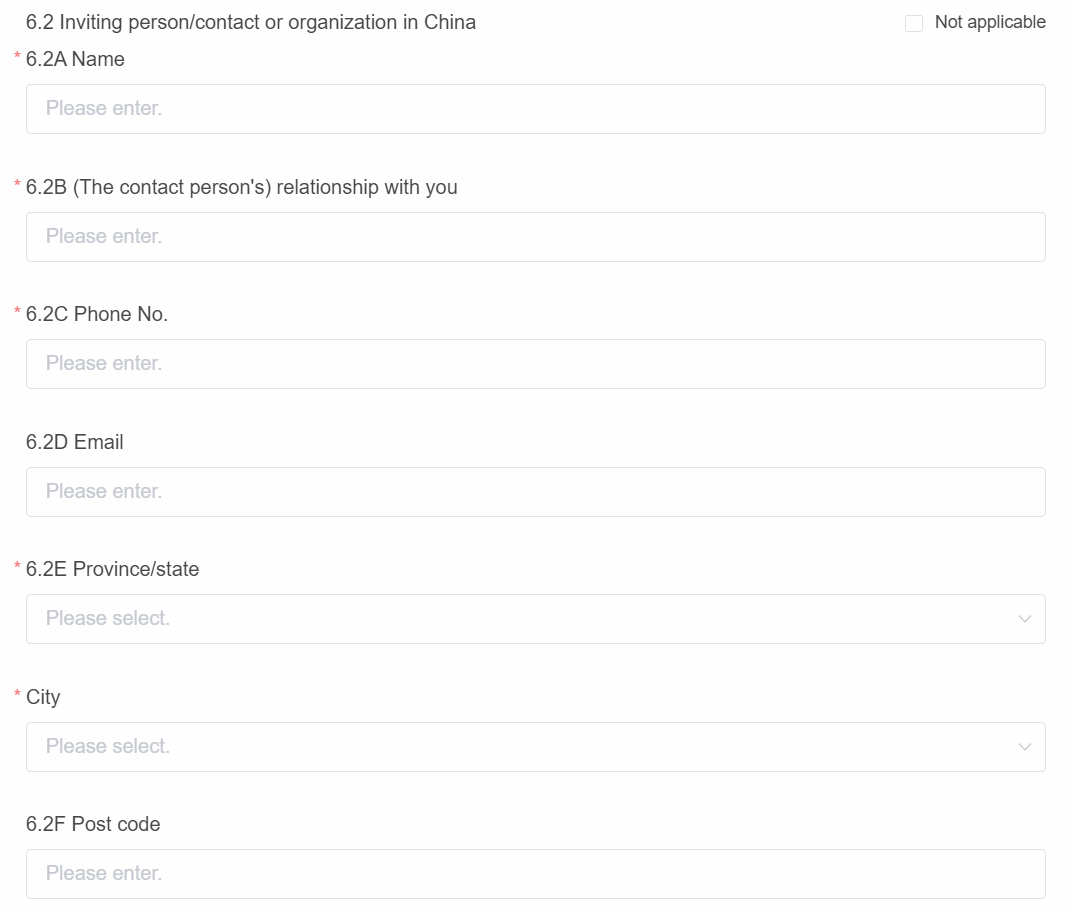
Please accurately fill in the dates of arrival and departure and the cities according to your travel plans. Please ensure that the information filled in form “6.2 Inviting person/contact or organization in China” is accurate, complete, and truthful. Any inaccurate information may result in your application being modified or rejected.
7. Information on previous travel
Please truthfully provide your previous travel information, including whether you have previously visited China, whether you have ever obtained a Chinese visa, and your travel history over the past 12 months.
8. Other information
Please truthfully provide the required information based on your personal circumstances and experiences, and provide an explanation where necessary.
9. Declaration
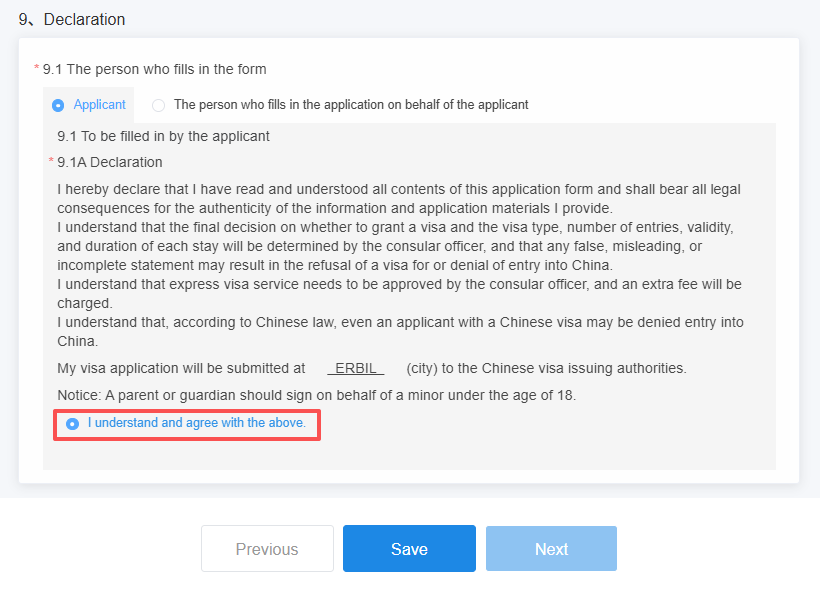
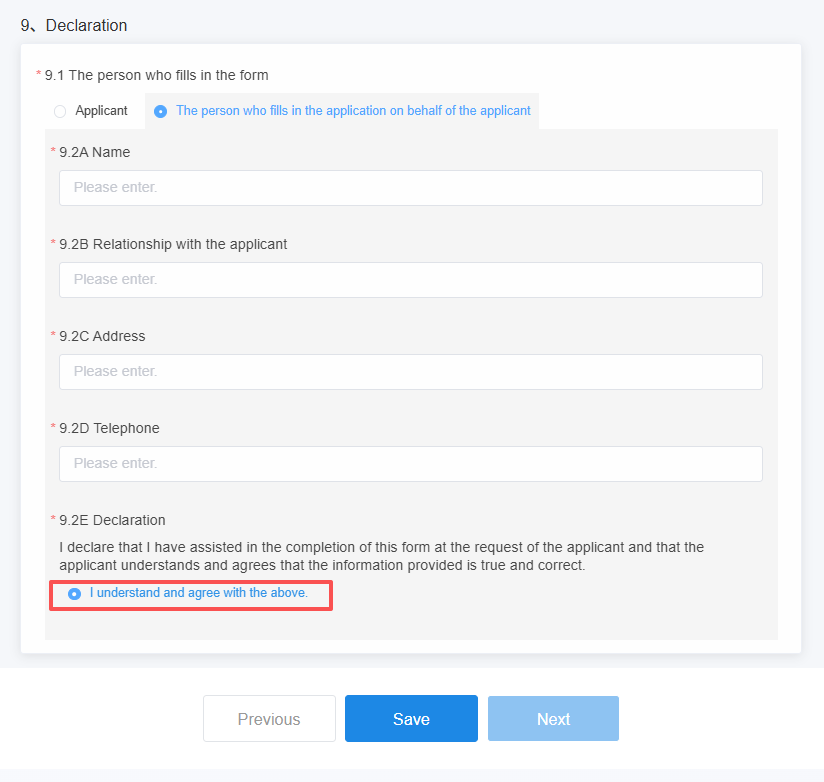
Please select the person who fills in the form: applicant or the person who fills in the application on behalf of the applicant. If the form is completed by someone on behalf of the applicant, provide the person’s personal information and relationship with the applicant.After reading the declaration, check [I understand and agree with the above].
10. Uploading materials
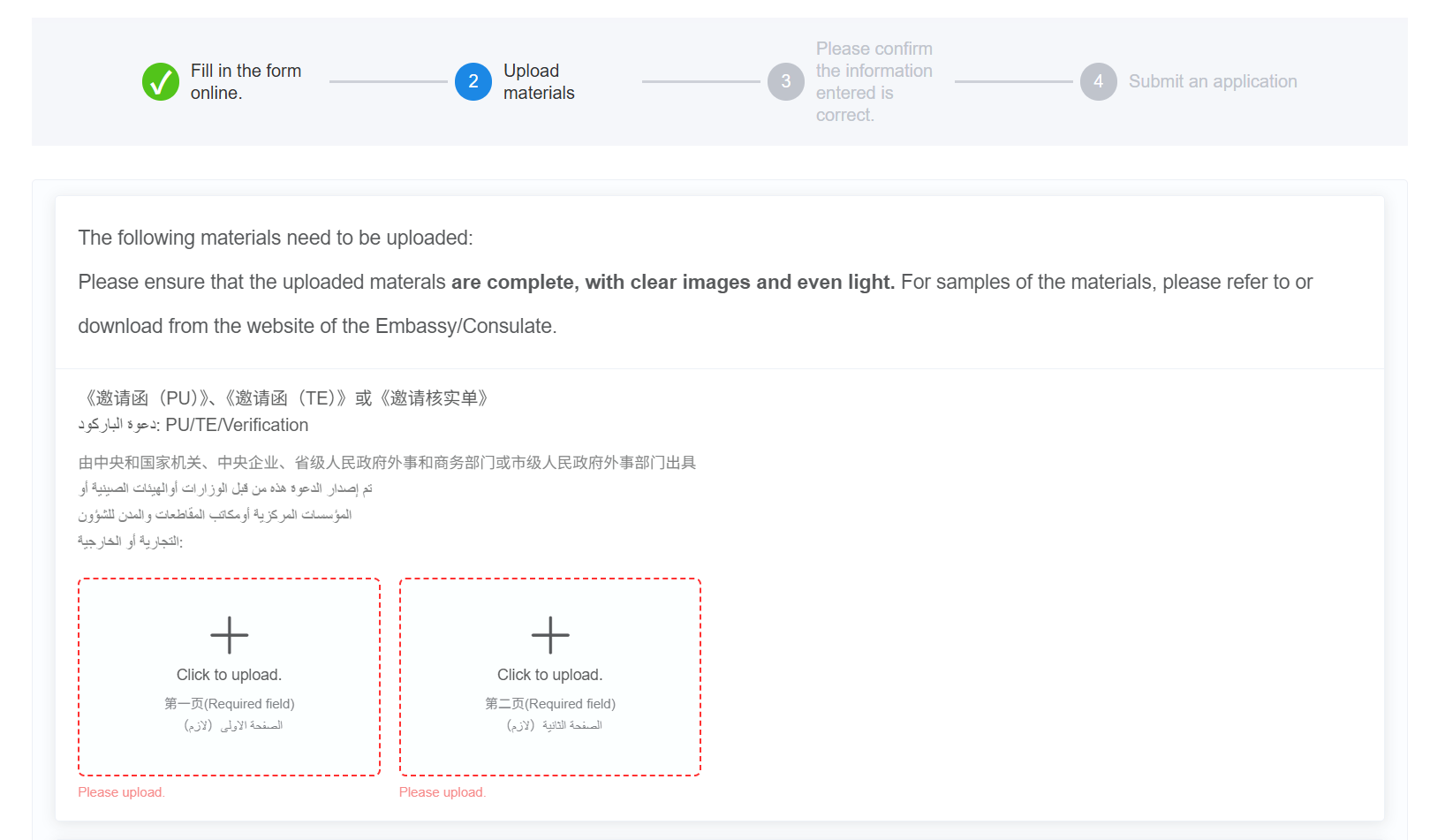
Please upload the required materials in accordance with the system requirements. To expedite the processing of your application, please ensure that the uploaded materials are complete, the images are clear, and the lighting is even. Materials marked with a red dashed box are required and must be uploaded.
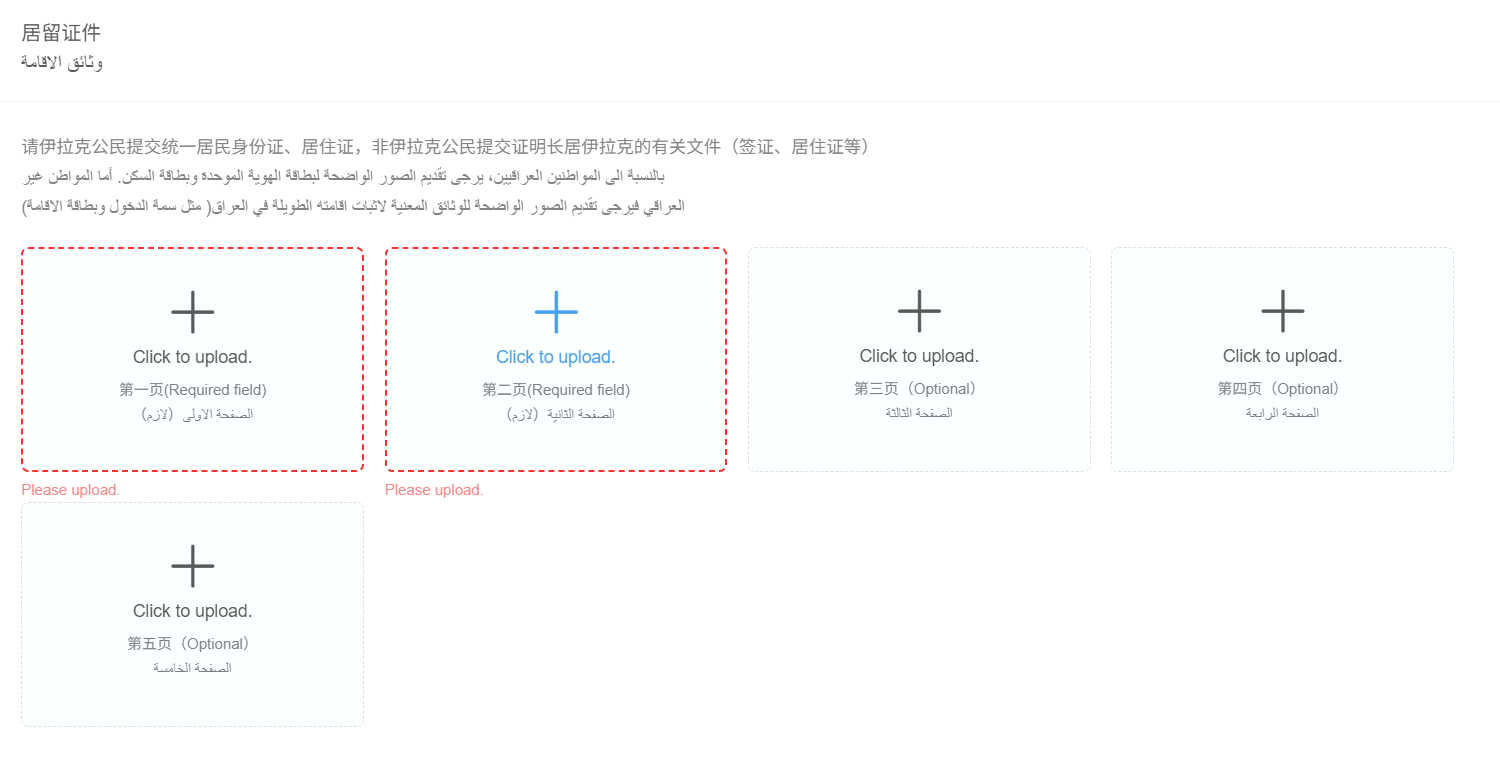
Iraqi citizens are required to submit their national ID card and information card. Non-Iraqi citizens are required to submit relevant documents proving their long-term residence in Iraq, such as a visa or residence card.
11. Confirm the information
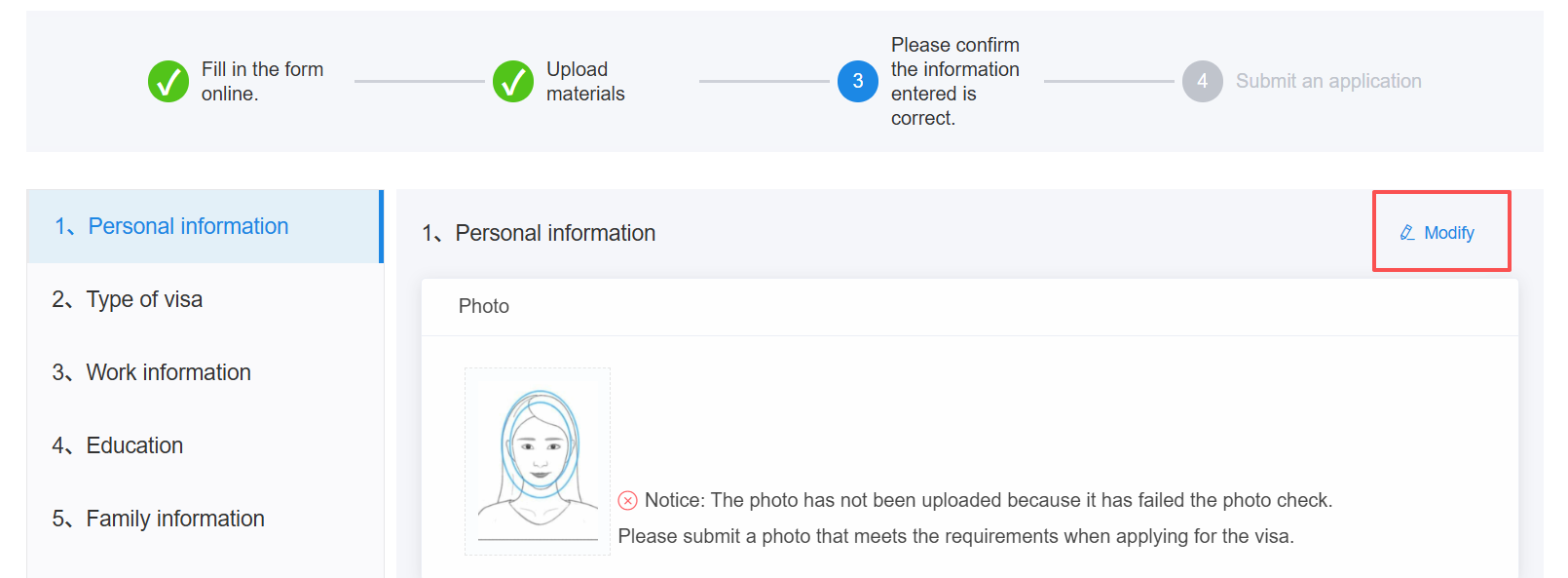
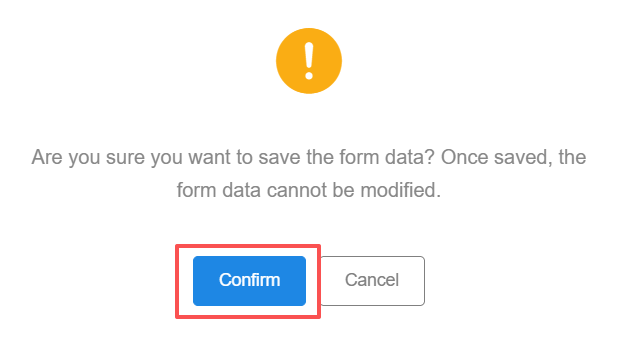
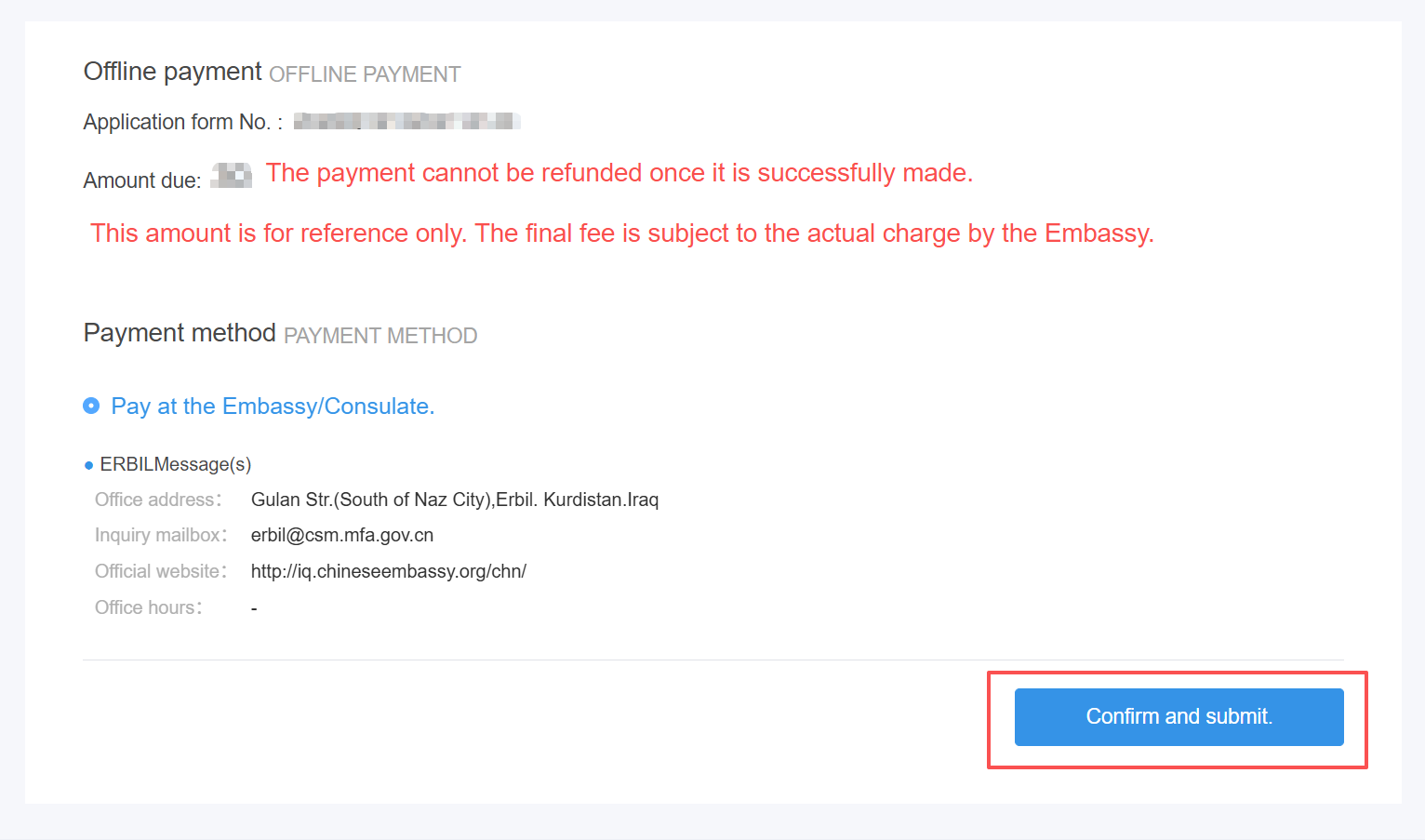
After uploading all the required materials, click [Next] to proceed to the information confirmation, where you can review the information you have filled in and the materials you have uploaded.If any changes are needed, click the [Modify] button in the upper-right corner of the page. Please carefully review all the information, as the submitted application form cannot be modified until it has been reviewed by consular officials.Once you have confirmed that all information is correct, click [Save and proceed to the next step] at the bottom of the page and click [Confirm]. Check the payment information, then click [Confirm and submit].
III. Online Review
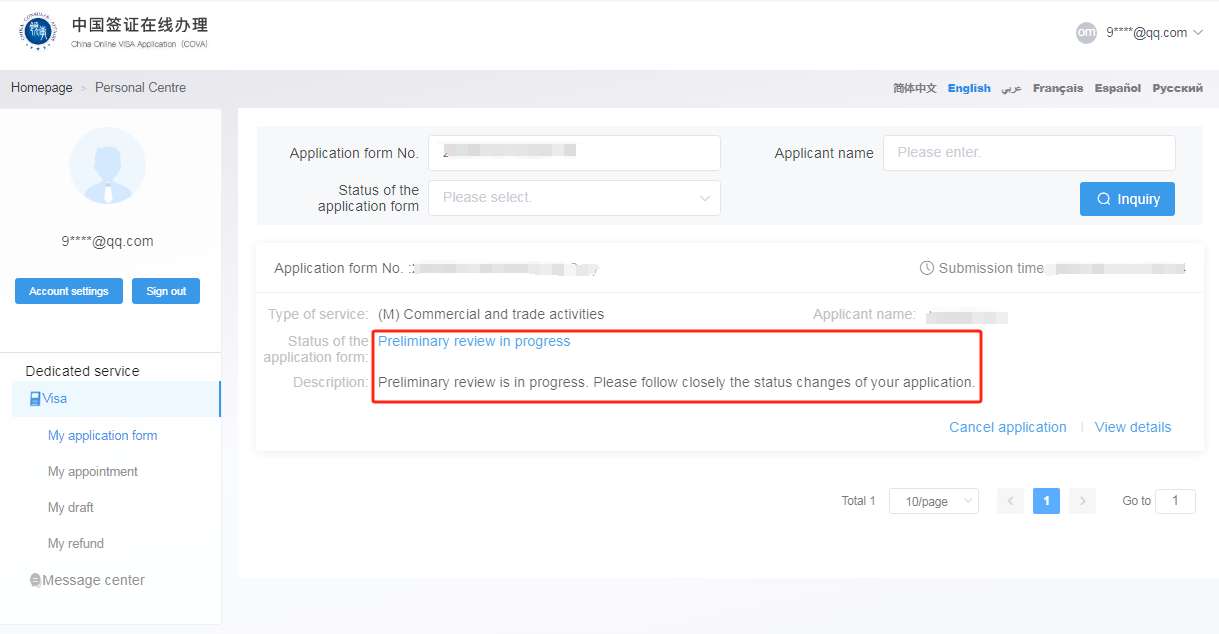
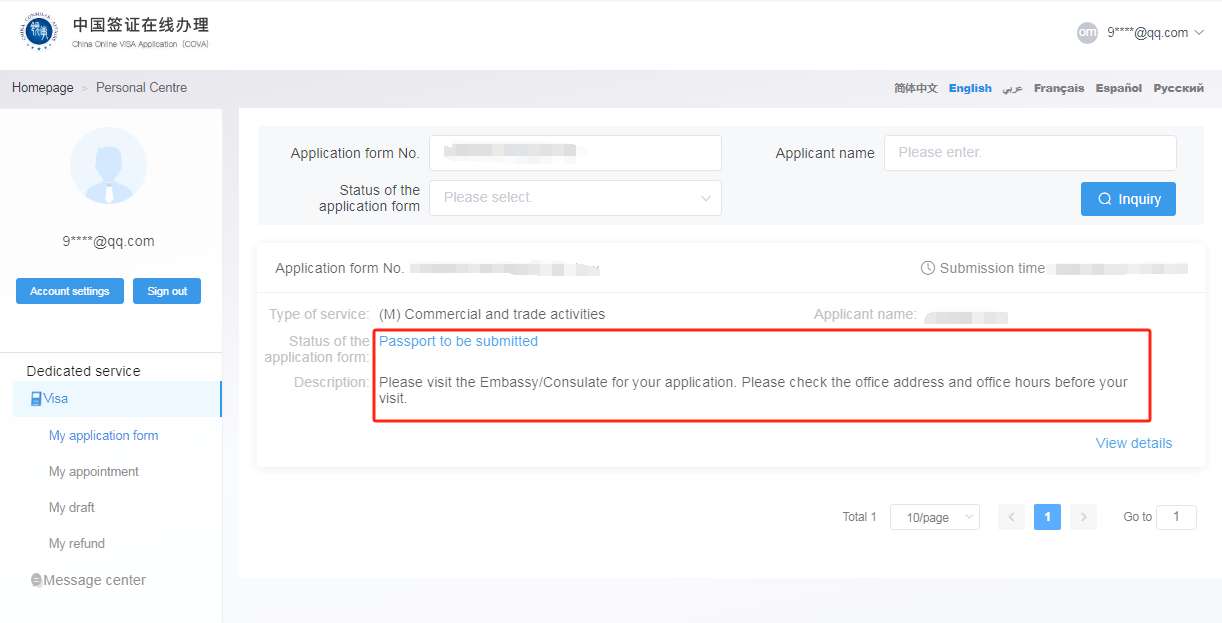
After submission, your application will enter “preliminary review in progress”, where consular officials will conduct an online review of the application materials. You may check the status of your application by going to “Personal center” → “Visa” → “My application form” or by clicking “Track the status of my application” on the homepage.
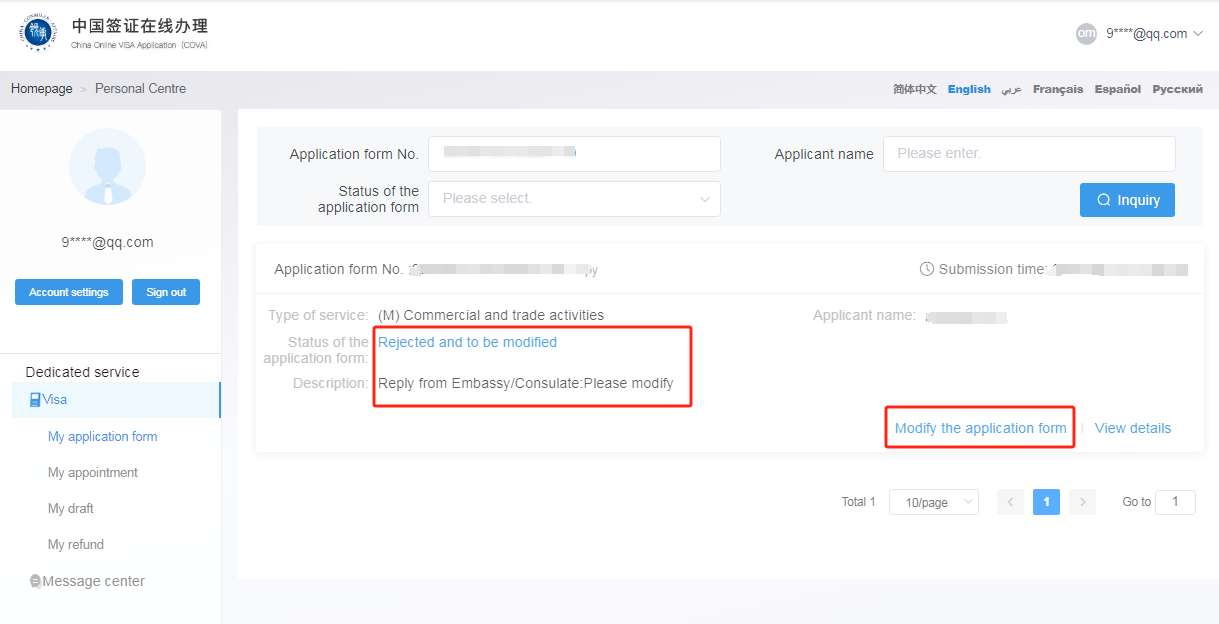
If the submitted application does not meet the requirements or additional documents are needed, consular officers will return the application for revision, and its status will be changed to “Rejected and to be modified”, click [Modify the application form] to make changes.Please promptly revise the application and provide any additional documents in accordance with the instructions or comments from the Consulate General. Failure to provide the required information or documents in a timely manner may delay the review and processing of your application.
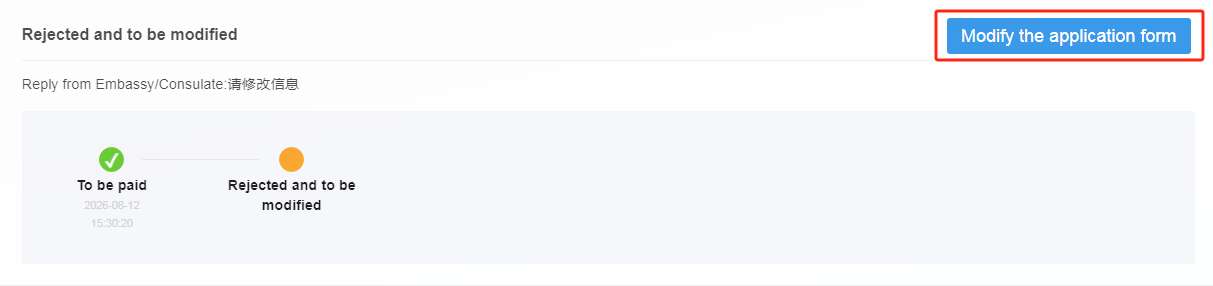
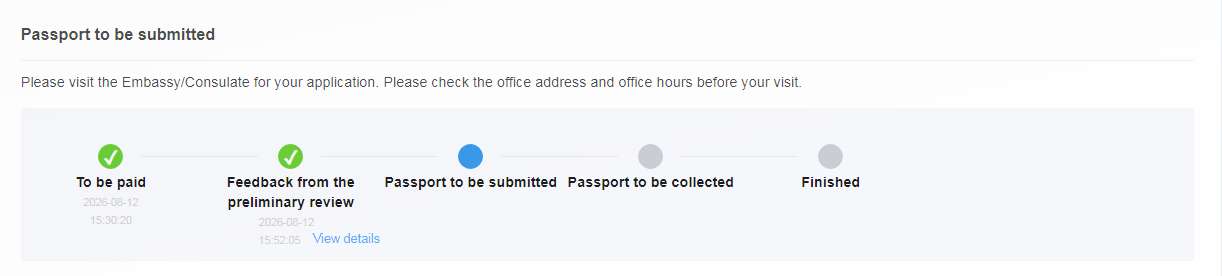
After the application passes the preliminary review, its status will be updated to “Passport to be submitted” The applicant or an authorized representative must visit the visa office to submit the original passport, the application information page with the barcode, and the originals of relevant supporting documents that require on-site verification. Click [View details] to view detailed application information.
Please note: Passing the online review does not mean that the visa has been approved. Depending on the circumstances of the individual case, consular officers may require the applicant to attend an in-person interview or provide additional documents.